
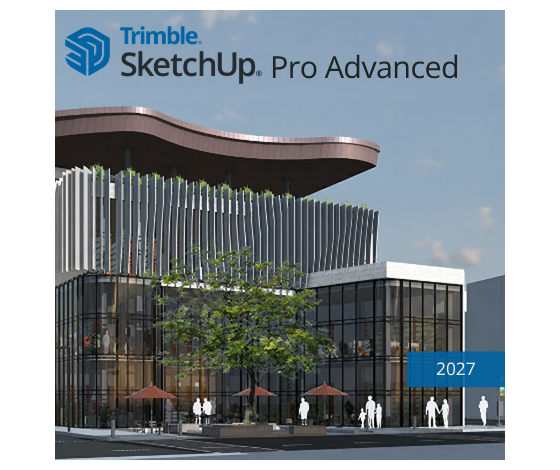
SketchUp
SketchUp Pro Advanced 1-Year Single-User Licence
SKU: SKP-ADVWF-YR-CNL
£560.00
£672.00 inc. VAT
Need certified training?
Get your team up to speed quickly with our Authorised Training Centre courses. In-person and virtual seats available.
Speak to a training advisorSketchUp Pro Advanced Workflows 2027 Commercial Annual License Subscription
SketchUp Pro Advanced Workflows 2D and 3D Design Modelling Software steps up processing power for enterprise workflows, complex geometries, and robust built environments. Engineered for power users, SketchUp Pro Advanced Workflows builds on the industry's easiest-to-learn modelling environment and enables easy context gathering from point cloud data and seamless interoperability with fast, efficient Revit imports. Here are some of the main fields that benefit from its advanced architectural computing capabilities:
- Large-Scale Architecture: Essential for high-density development, campus master planning, and complex curtain wall modelling.
- BIM Coordination: Useful for executing data-rich information structures, moving seamlessly between tools like Revit, and cross-platform IFC classification management.
- Interior Architecture & Lighting: Crucial for photorealistic light scattering simulations and advanced materials application.
- Structural Engineering: Aids in translating conceptual wireframes into computational, parametric design modules.
- Landscape Infrastructure: Ideal for processing heavy GIS topographic maps, modelling directly on 3D point cloud data, and intricate environmental assets.
- VFX & Computational Stage Design: Used to develop intricate, heavily packed set environments with responsive procedural elements.
- Advanced Manufacturing & Fabrication: Useful for preparing complex 3D models for automated CNC milling and industrial production.
- Urban Simulation: Helps in creating massive, performance-optimised digital twins for regional environmental analyses.
Each of these fields leverages SketchUp Pro Advanced Workflows to handle massive files, automate repetitive modelling scripts with new non-destructive tools, and quickly iterate on concepts with designers and across teams.
New Features in SketchUp Pro Advanced Workflows 2027
Procedural Tools
- Non-Destructive Modelling: Utilise Procedural Follow Me, Solid Tools, and Copy Along to iterate rapidly without needing to rebuild geometries from scratch.
Advanced Interoperability
- Updated USD Implementation: Boost visualisation workflows with expanded support for .usdz, .usd, .usda, and .usdc, featuring new mesh handling and texture baking controls.
- IFC Parity: Enjoy lightweight file performance with complete data integrity and 1:1 feature parity with IFC.
- Revit Importer Updates: Choose specific 3D views to import from Revit files and seamlessly translate component data to appropriate IFC classes.
Scan Essentials Updates
- Texture Projection: Project textures from point clouds directly onto 3D models to rapidly enhance visual realism.
- Surface Mesh & Global Transformations: Simplify extraction of geometry from point clouds and preserve original point cloud coordinates for easy exports.
Documentation Upgrades
- Hidden Line Rendering (HLR) & LayOut Canvas: Major speed improvements in LayOut alongside a new Paperless Canvas for drafting 1:1 without page constraints.
What's included?

SketchUp Ecosystem
Robust desktop, web, and iPad modellers to create, edit, and mark up projects on the go.

Scan Essentials
Turn point cloud data into accurate 3D models.

Revit Importer
Easily import Revit files into SketchUp.

LayOut & Trimble Connect
2D documentation with text and vector illustration, backed by a cloud storage and collaboration platform.

Libraries & Integrations
Includes 3D Warehouse, Extension Warehouse, PreDesign, and Add Location for mapping and terrain.

SketchUp Viewers
Share for others to view and comment on your models on the web and iOS mobile devices.
Subscription Terms & Hardware Requirements
Subscription Terms: You must sign in to access your subscription. You can sign in with Trimble ID or by using Google. Regardless of how you sign in, you will access products under a Trimble ID user account. Each user account can only be associated with one person.
You cannot create a generalised user account that is shared by more than one person. This is what we refer to as a named user. You also cannot create more than one user account per person. Presently, the only available subscription term is annual.
| Platform | Operating System | Processor (CPU) | Memory (RAM) | Graphics Card (GPU) | Hard Disk Space |
|---|---|---|---|---|---|
| Windows | Windows 11, 64-bit (Windows 10 and earlier are no longer supported) |
2+ GHz Intel or AMD processor | 8 GB minimum (16 GB+ recommended) |
A modern discrete GPU with at least 8GB VRAM | 6GB of available disk space |
| macOS | macOS 15 (Sequoia), macOS 26 (Tahoe), or macOS 27 (Golden Gate) | Apple Silicon processor (M1 or higher) (Intel-based Macs are no longer supported) |
8 GB minimum (16 GB+ recommended) |
Apple Silicon GPUs meet the minimum requirements | 6GB of available disk space |
Frequently Asked Questions
Single-User License Authorisation for SketchUp Pro Advanced 2027
A single-user license for SketchUp Pro Advanced 2027 allows you to activate the software on up to two separate computers. However, it's important to note that only one of these computers can use the license simultaneously. This setup is ideal if you need flexibility to switch between an office desktop workstation and a mobile production laptop, as long as only one device is running under that seat credential at any given time.
- Activate on Two Computers: You can authorise up to two devices.
- Exclusive Usage: Only one device can use the license at a time.
This dual-device authorisation offers convenience without compromising compliance.
What is the Processing Time for SketchUp Pro Advanced 2027?
When you purchase SketchUp Pro Advanced 2027, your enterprise order configuration is processed inside an expedited operational window. Specifically, you can expect:
- Processing Time: 1 to 4 business hours
This swift processing time ensures that you can unlock your advanced structural design nodes and rendering allocations without any unnecessary workflow disruptions.
How is SketchUp Pro Advanced 2027 Delivered?
Delivery Method: SketchUp Pro Advanced 2027 is delivered digitally via electronic license routing.
Process: Following verified checkout, an administrative message lands in your inbox containing the custom application installation pathways, asset cloud permissions, and initial Trimble profile setup sequences. This eliminates the need for physical media shipments.
Convenience: This digital delivery framework ensures instant access, helping your project team move into advanced data-driven 3D production immediately. Please check your system email directory (and corporate firewalls/spam filters) to kick off the activation process.
For multiple site licenses, floating group configurations, or on-site engineering training, contact us for a formal quotation.
Related Products
No rows yet
- An official commercial licence, or genuine manufacturer hardware and media.
- Access to the latest product updates and security patches where the product has them.
- UK telephone and email support from TCS CAD applications engineers.
You may also like
- In stock In the post

TCS-SketchUp
SketchUp Go 1-Year Single-User Licence
Ex VAT £110.00 - In stock In the post

TCS-SketchUp
SketchUp Pro Civil Contractor 1-Year Single-User Licence
Ex VAT £390.00 - In stock In the post

SketchUp
SketchUp Pro Scan 1-Year Single-User Licence
Ex VAT £390.00 - Quote Subscription

TCS-SketchUp
SketchUp Studio 2027 1-Year Single-User Licence
Ex VAT £705.00
- Secure checkout
- Instant delivery
- UK tech support