
Global eTraining
Revit Architecture Interactive Online Training - Annual Subscription
SKU: REVIT-ARCH-Flexible
£250.00
£300.00 inc. VAT
Need certified training?
Get your team up to speed quickly with our Authorised Training Centre courses. In-person and virtual seats available.
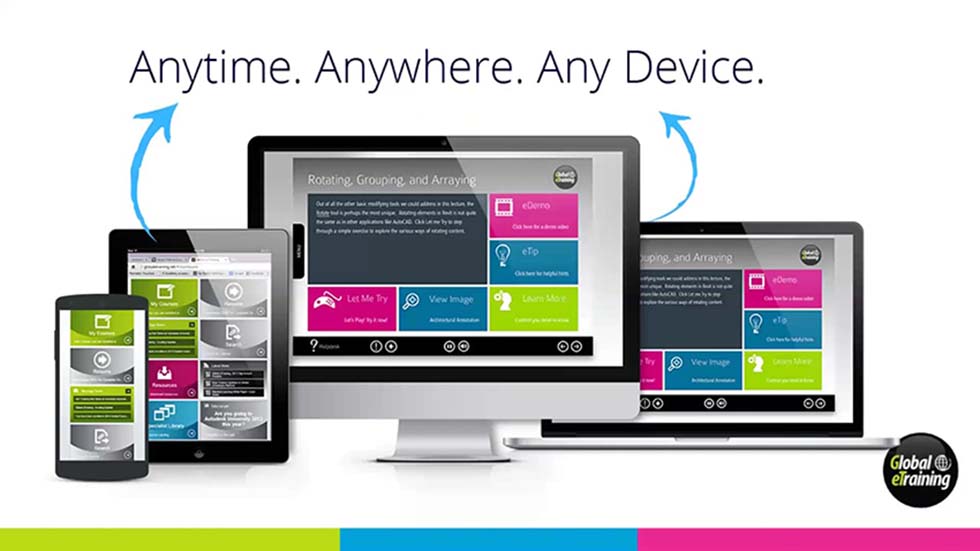
Speak to a training advisorAutodesk Revit Architecture online training is a complete flexible course which gives learner a solid understanding of key features and capabilities from the basics through to advanced components. eTraining is an interactive online and on demand training service which offers training based on Autodesk certified content.
Global eTraining is a cost effective way to training software users at their convenience, offer easy to absorb modules available around the clock. Learning is self-paced and users can refresh their knowledge of software, prepare for projects and update their skills. Upgrade this eTraining course to guided course to qualify for an Autodesk certification upon the completion of course.
Key Benefits of eTraining: Easy to access 24/7, Cost effective way of acquiring training, Interactive exercises to assess knowledge, Self-paced learning, progress reporting and allow project managers ensure the whole design team are trained to the same standard manner. You may also apply for Autodesk certificate on completion (at small extra cost and revision)...
Course Outline
The course is designed to give you a solid understanding of Revit Architecture features and capabilities from the basics through to advanced components. You'll follow a workflow-based approach that mirrors the development of projects in the real world, learning this powerful, sophisticated building information modelling (BIM) software that has transformed the architectural design industry. It is the perfect introduction to the powerful software for architects, designers, and students.
To get the most out of this course, we strongly recommend you review every topic within the course, and use all the learning styles to ensure you retain the important information within. We also encourage you to take all the progress tests to ensure you have retained the knowledge, and most importantly practice with the hundreds of real world examples. This course is designed to use all learning styles from text, audio, video, interactivity, quizzes and practical “Let Me Try” examples.
Detailed Course Agenda
-
Introduction to Autodesk Revit Architecture
-
Starting an Architectural Project
-
Creating Walls
-
Using Basic Building Components-I
-
Using the Editing Tools
-
Working with Datum Planes and Creating Standard Views
-
Using Basic Building Components-II
-
Using Basic Building Components-III
-
Adding Site Features
-
Using Massing Tools
-
Adding Annotations and Dimensions
-
Creating Project Details and Schedules
-
Creating Drawing Sheets and Plotting
-
Creating 3D Views
-
Rendering Views and Creating Walkthroughs
-
Using Advanced Features
-
Using Advanced Features II
No rows yet
- An official commercial licence, or genuine manufacturer hardware and media.
- Access to the latest product updates and security patches where the product has them.
- UK telephone and email support from TCS CAD applications engineers.
You may also like
- In stock In the post

Global eTraining
Vehicle Tracking Interactive Online Training - Annual Subscription
Ex VAT £245.00 - In stock In the post
Global eTraining
Advance Steel Essentials Interactive Online Training - Annual Subscription
Ex VAT £245.00 - In stock In the post
Global eTraining
AutoCAD Plant 3D Interactive Online Training - Annual Subscription
Ex VAT £250.00 - In stock In the post
Global eTraining
Autodesk Library - 12 Months Access to All Autodesk Courses
Ex VAT £500.00
- Secure checkout
- Instant delivery
- UK tech support